
Skip to content
PAY BY BANK

Instant Payments
Real-time payment processing

Same Day ACH
Same day payment processing

Standard ACH
Standard processing times

FEATURES

Unified API
Fast transactions integrated with open banking, all in one platform

Automated Payments
Modernize your payments with pay by bank automation

Mass Pay
Send multiple bank transfers with a single API request

Open Banking Services
Instant account verification, balance checks and fraud mitigation

Digital Wallet
Initiate faster transactions by utilizing Dwolla's Digital Wallet to hold funds


Data Visibility
Access and manage your payments data through our user-friendly dashboard

Security
Dwolla's platform is monitored 24/7/365 using a combination of internal and external tools and services

Integration
Dwolla makes integrating pay by bank payments fast and easy

Sandbox Environment
Simulate use cases and try out features

Dedicated Support
Supporting your payments journey every step of the way

SOLUTIONS

Enterprise
High-transacting payment automation

Balance
A digital wallet solution 

Connect
Bring your own bank

USE CASES

B2B Payments
Optimize your company's payment operations

Marketplaces
Pay out your sellers and providers quickly and securely

Property Management
Streamline property rent collection and vendor payments

Unload/Load Digital Wallet
Seamlessly move funds on and off your platform

Payouts
Pay out funds quickly and securely

AP/AR Payments
Automate accounts payable and receivable to improve cash flow and boost efficiency

Buy Now, Pay Later (BNPL)
Modernize installment payments with secure pay-by-bank

INDUSTRIES

Insurance
Upgrade your insurance payment processes for speed and efficiency

Real Estate
Streamline payment flows for every real estate transaction

Lending
Expedite loan disbursements and streamline repayment collections

Healthcare
Simplify patient billing and streamline provider reimbursements

Manufacturing
Optimize B2B payments across your supply chain and operations

October 23, 2026

Manage Team Permissions Faster With Roles in the Dwolla Dashboard

As your team grows, keeping track of who can do what on your Dwolla by NMI account gets harder. Roles keep access simple, no matter how many people you add.

Introducing Roles

Until now, you set Dashboard permissions one user at a time, so each new team member meant configuring access from scratch. Roles fix that. You can group permissions into a role and assign it to as many team members as you need.

Two roles come ready to use: Admin and Read All. You can also create custom roles that match how your team works.
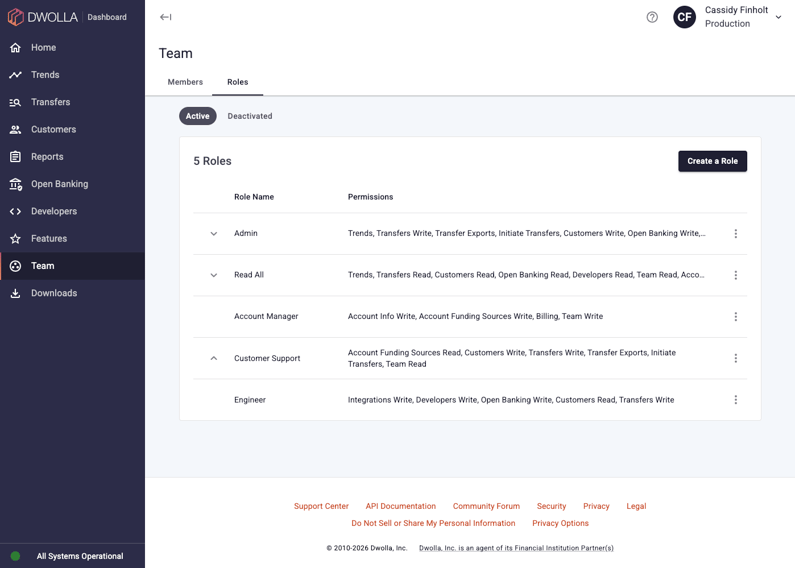
Screenshot of the Roles List Page showing a mixture of the pre-built roles and custom roles

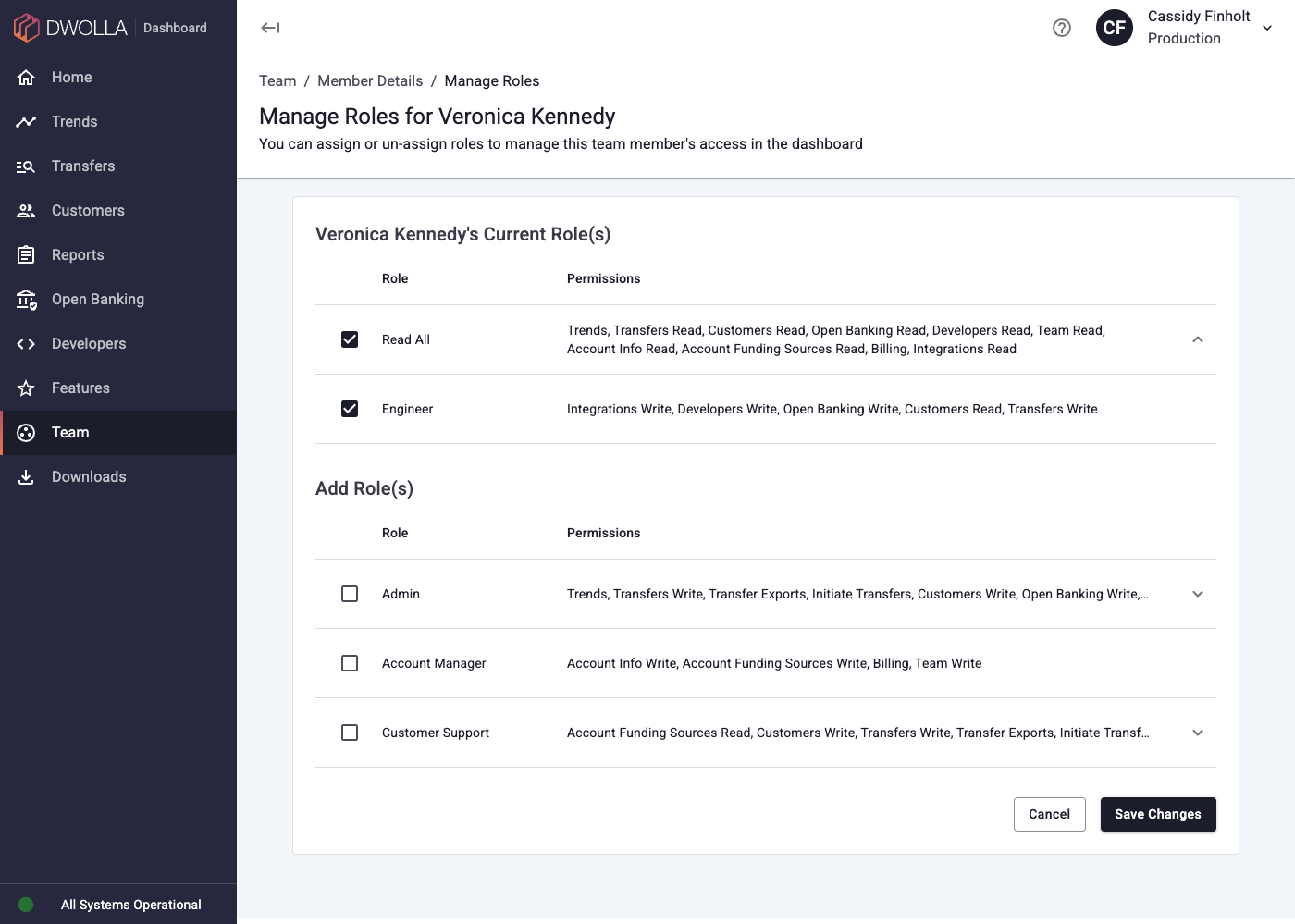
Screenshot of the Role Assignment Page showing the pre-built Read All role and a custom Engineer role being assigned to a user

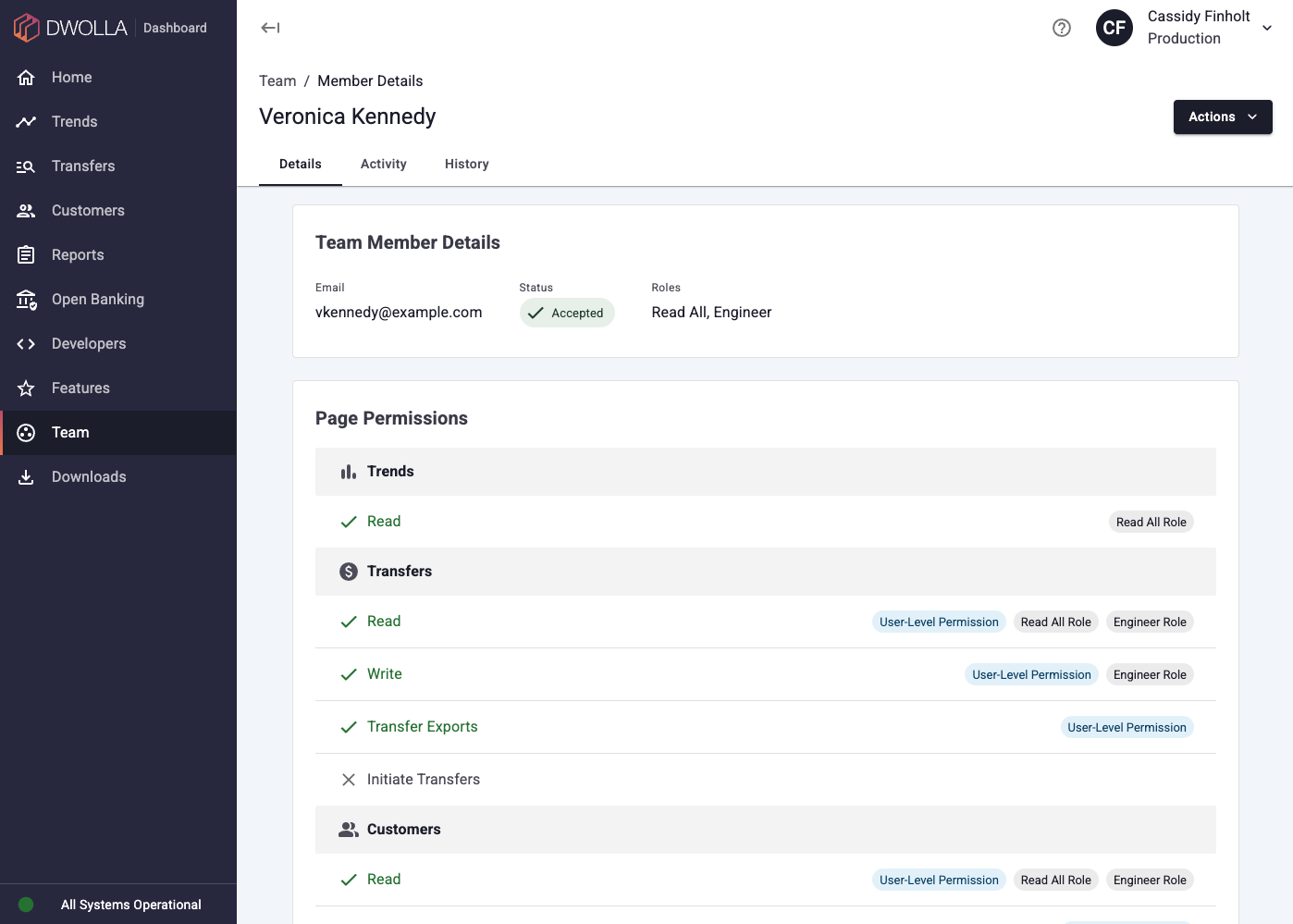
Screenshot of the Team Member Details Page showing their permissions attributed to a mix of roles and personal grants

How Roles Help You

  • Save time on setup: Assign a role instead of picking permissions one by one for every new team member

  • Stay consistent: Everyone in the same role has the same access, so you spend less time auditing individual team members

  • Combine roles: Assign more than one role to a team member, and they get the permissions from every role they hold

  • See who has access: View every team member assigned to a role

  • Track changes: Review a team member’s activity and history to see what changed and when

  • Apply changes immediately: Changes to a role or a team member’s access take effect immediately

Get Started

Roles are live in your Dashboard now. Sign in to the Dwolla Dashboard and select Team in the side navigation.


If you have questions or need help, email support@dwolla.com.

RELATED ARTICLES