
Role-Based Permissions for Dashboard Users
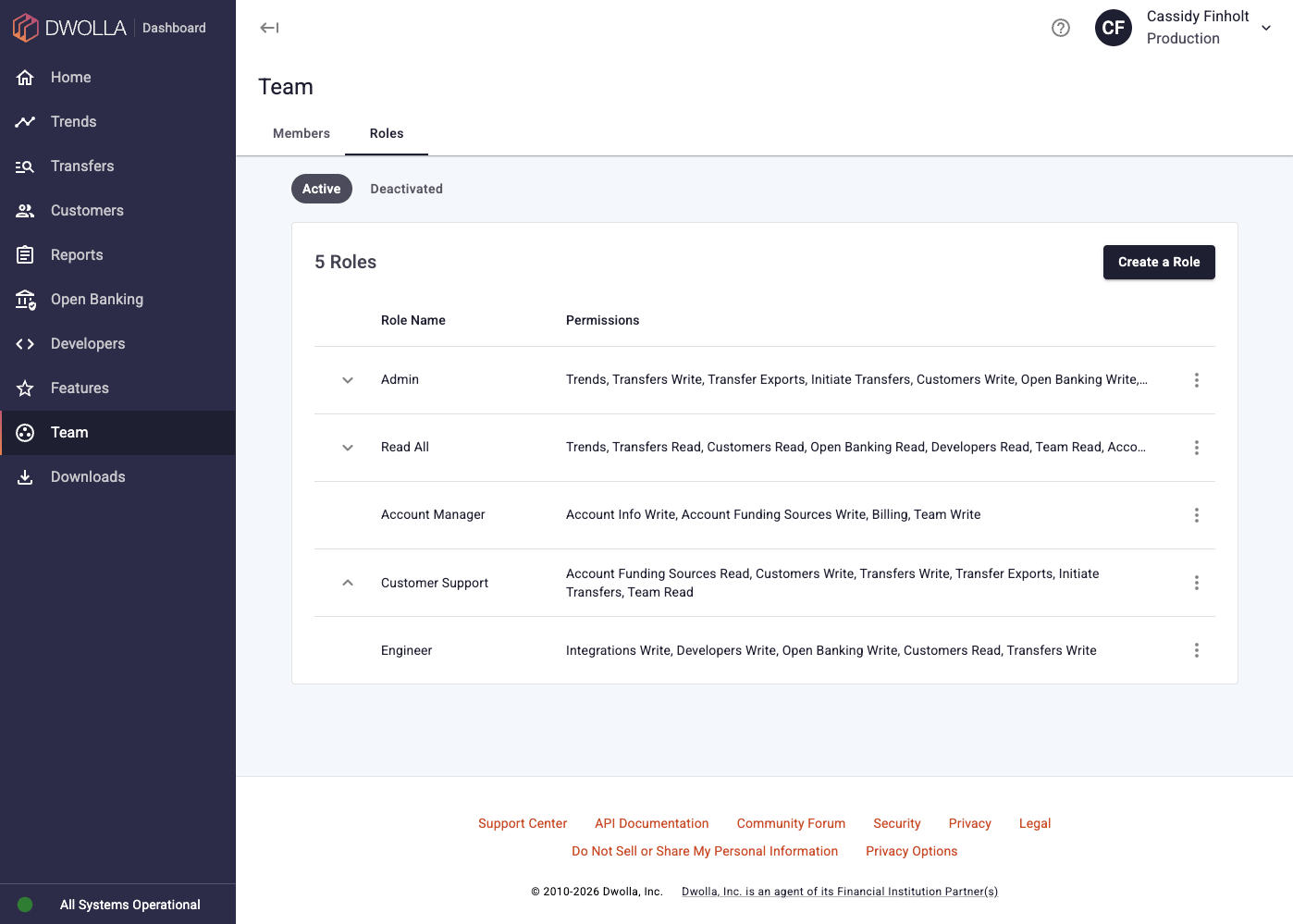
You can now manage Dashboard access by role instead of configuring each user one at a time. Create named roles with a shared set of permissions and assign them to as many users as you need. This takes much of the overhead out of managing larger teams.
- Pre-built roles: Admin and Read All are available out of the box.
- Custom roles: Create any number of your own roles to match how your team works.
- Layered permissions: A user's access combines their assigned roles with any permissions set directly on them, so you can add exceptions where needed.
You can create and edit roles, view all roles and assign or unassign them from the Team section of the Dashboard.
Faster Transfer Navigation and Clearer VAN Transfers
Following a transfer from start to finish in the Dashboard is now quicker. The Funds Flow Overview loads all the information it needs when the page opens. You can move between the legs of a transfer with no loading delays, and you can switch legs directly from the transfer fly-out without leaving the transfer listing page. This also fixes a display issue that could occur when you navigated back and forth between legs of a transfer that started as a Mass Payment.
Transfers that involve a Virtual Account Number (VAN) now use distinct icons for the source and destination. You can tell at a glance when you're looking at a VAN rather than a separate customer.
Balance
Push to Card (Early Adopters)
Dwolla by NMI’s push to card capability will expand your faster payout options beyond bank rails. Push to Card lets you send funds in near-real time* to eligible U.S. debit cards using the same Dwolla by NMI integration you rely on for ACH and instant bank payments. The beta period is complete, and we’re now ready for Push to Card early adopters! If you want to be among the first to go live, contact your Relationship Manager or email relationshipmanagement@dwolla.com.
*Funds typically arrive within seconds to 30 minutes
Account Name Inquiry for Card Funding Sources (Beta)
You can now check that a card belongs to the person you expect before you create a funding source from it. This gives you an early signal of potentially fraudulent card use.
When you create an exchange session for a card, you can opt into Account Name Inquiry and provide the expected cardholder's first and last name. After the cardholder connects their card, the name-match result comes back on the exchange, so you can review it before you create the funding source.
Developer Tools
In case you missed it: here are three developer tools we've shipped recently that can save you time during integration and day-to-day operations.
CLI Tool
The Dwolla by NMI CLI, introduced in beta last quarter, lets you explore the API, seed sandbox data and test webhooks without leaving your terminal. Run a complete multi-step sandbox scenario with a single `workflows` command, fire real sandbox webhook events with `trigger` and forward verified webhooks to your local app with `listen`. If you build with an AI coding agent, the CLI detects it and switches to a token-efficient agent mode automatically. View it on GitHub for installation and examples, and send feedback to developers@dwolla.com.
PHP SDK
If you build in PHP, our modernized SDK, `dwolla-php`, replaces the legacy `dwolla-swagger-php` library. It's generated from our OpenAPI specification, so it covers every API operation. It also gives you type-safe models, IDE autocomplete and simpler authentication. Install it with `composer require dwolla/dwolla-php` and view the GitHub repository for examples. If you're still on dwolla-swagger-php, now is a good time to plan your migration. Share feedback at developers@dwolla.com.
MCP Server
The Dwolla by NMI Model Context Protocol (MCP) Server lets AI assistants like Claude, Cursor, VS Code and Windsurf look up and analyze your Dwolla by NMI data in plain language. You can ask questions like "Find all failed transfers for this customer and explain why they failed" or "Show me all pending transfers over $5,000 this week" without logging into multiple dashboards or writing one-off scripts. The server has read-only access, so it's useful for support investigations, reconciliation and compliance checks without letting an AI agent move money.
You can run it with `npx @dwolla/mcp-server`, or install it in Claude Desktop with a single drag-and-drop extension file. Start in the sandbox, then visit the MCP Server guide on the Developer Portal for setup steps.